
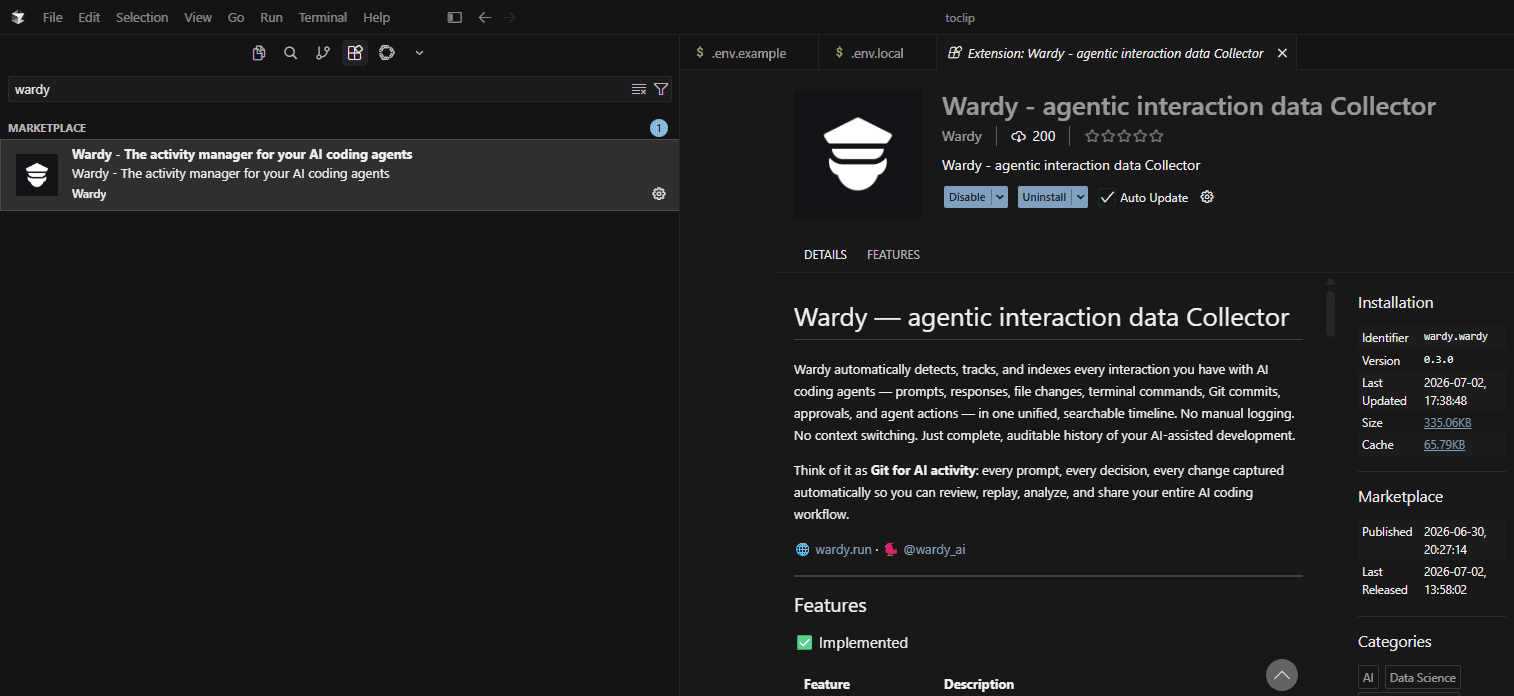
Install Wardy on your favorite IDE
Connect Wardy directly to your code editor. Capture every prompt, commit, and agent action without leaving your workflow. Works with Cursor, VS Code, Qoder, and any IDE with extension support.
Features
| Feature | Description |
|---|---|
| Auto-Detection | Automatically detects running AI agents (Claude Code, OpenCode, Cursor, Codex CLI, etc.) with zero config |
| Real-Time Session Capture | Watches agent data files and captures sessions as they happen |
| Unified Timeline | All sessions from all agents in one reverse-chronological feed |
| Full-Text Search | Search across session titles, metadata, and message content with context snippets |
| Project Grouping | Sessions organized by project, with per-project stats |
| Agent Dashboards | Per-agent stats: sessions, prompts, tokens, last active |
| Conversation Viewer | Expandable accordion UI with thinking blocks, tool calls, and code blocks |
| Conversation Copy | One-click copy on code blocks |
| Export | Sessions exportable as JSON or plain text (single, by-agent, by-project) |
| HTTP API | POST /api/save endpoint for any agent to push session data programmatically |
| One-Click Auto-Save | Configure Claude Code, Qoder, OpenCode, Cursor, and others to auto-save conversations |
| Real-Time Updates | Toast notifications when new sessions are detected |
| VS Code Sidebar | Native VS Code webview panel with dark/light theme support |
| Local-First | All data stored locally — no telemetry, no phone-home |
| Search | Search across sessions, agents, projects, and message content |
| Token Tracking | Token counts per session with human-readable formatting |
| Agent Prompt | Copyable prompt to give agents for auto-saving |
In Development / Planned
| Feature | Status |
|---|---|
| PDF / Excel / Word Export | Only JSON/TXT currently |
| Slack / Email Daily Digest | README mentions it, not yet built |
| Team Dashboard | Coming in a future release |
| Diff View | Link sessions to file changes |
| Git Integration | Link sessions to commits, blame |
| Cost Tracking | Multiply tokens by model pricing |
| Session Comparison | Side-by-side comparison of two AI sessions |
| Prompt Library | Save and reuse successful prompts |
| Semantic Search | Vector-based search over conversation content |
| Auto-Tagging | Automatic categorization by intent (debug, feature, refactor) |
What Wardy Collects
| Data | Details |
|---|---|
| AI Prompts & Responses | Every prompt sent to an AI agent and every response received, with full conversation history |
| Agent Activity | Which agent (Claude Code, OpenCode, Cursor, Codex CLI, GitHub Copilot, Aider, etc.) made which change |
| File Changes | Every file modified by an AI agent, linked to the prompt that triggered the change |
| Terminal & Tool Commands | Shell commands, tool executions, Git operations, and package installs during AI sessions |
| Approvals & Rejections | Every manual intervention, approval, or rejection during AI-assisted development |
| Session Metadata | Model used, tokens consumed, duration, project path, and timestamps for every session |
| Process Activity | Real-time detection of running AI agents (start, stop, active sessions) |
Why Wardy
For Developers
- Never wonder “what did the AI change and why?” — every action is logged and linked to its prompt
- Search across all your AI conversations, files, and commands in one place
- Replay coding sessions step-by-step to understand how a solution evolved
- Keep a private, local-first record under your control
For Teams
- Generate AI Activity Reports as PDF, Excel, or Word for audits, stand-ups, and retrospectives (coming soon)
- Send automated daily summaries to Slack — keep everyone aligned without leaving the editor (coming soon)
- Track which agents and models your team relies on, and how much they’re used
- Export compliance-ready audit trails of all AI-assisted changes
For AI Workflow Analysis
- Collect structured data on prompt volume, token usage, session duration, and agent preferences
- Identify patterns in how your team interacts with AI — which prompts yield results, which agents are most productive, where context is lost
- Build a quantitative foundation for optimizing your AI development pipeline
Supported Agents
| Agent | Provider | Detection Method |
|---|---|---|
| Claude Code | Anthropic | Process detection + conversation files |
| OpenCode | Anthropic | Process detection + .dat files + conversation files |
| Cursor | OpenAI | Process detection + composer/chat JSON files |
| Codex CLI | OpenAI | Process detection + session index files |
| GitHub Copilot | GitHub | Process detection |
| Claude Dev | Anthropic | Checkpoint directory scanning |
| Aider | — | Process detection + data directory scanning |
| Qoder | — | Data directory scanning |
| VS Code | — | Process detection (terminal/command tracking) |
| Any other CLI agent | — | Process detection (generic fallback) |
How It Works
- Install Wardy in VS Code — it activates automatically in your sidebar
- Use your AI agents normally — Wardy watches for running agents and new conversation files in real time
- Review your timeline — every session, prompt, and change appears instantly in the Wardy sidebar
- Search, filter, and analyze — find any interaction across projects, agents, timeframes, or message content
- Export and share — generate reports or send summaries to Slack
Installation
Install from the VS Code Marketplace or open-vsx.org.
Visual Studio Code 1.90.0+ required. Works out of the box with zero configuration.
Privacy & Data Control
- Local-first: All data stays on your machine in your extension storage directory
- No telemetry: Wardy does not phone home, track usage, or send data to any external server
- You own your history: Export, delete, or archive your AI activity data at any time